Capcut PC Version for Windows 10/11 | Download & Install Guide
Capcut PC Version can be used on Windows through the native desktop app, Microsoft Store, or an Android emulator for the APK version. This guide covers installation, system requirements, Free vs Pro features, performance tips, and common CapCut PC problems.
Independent Guide: CapctProAPK.com is not affiliated with or endorsed by CapCut or ByteDance. For the official Windows application, use CapCut’s official website or Microsoft Store.
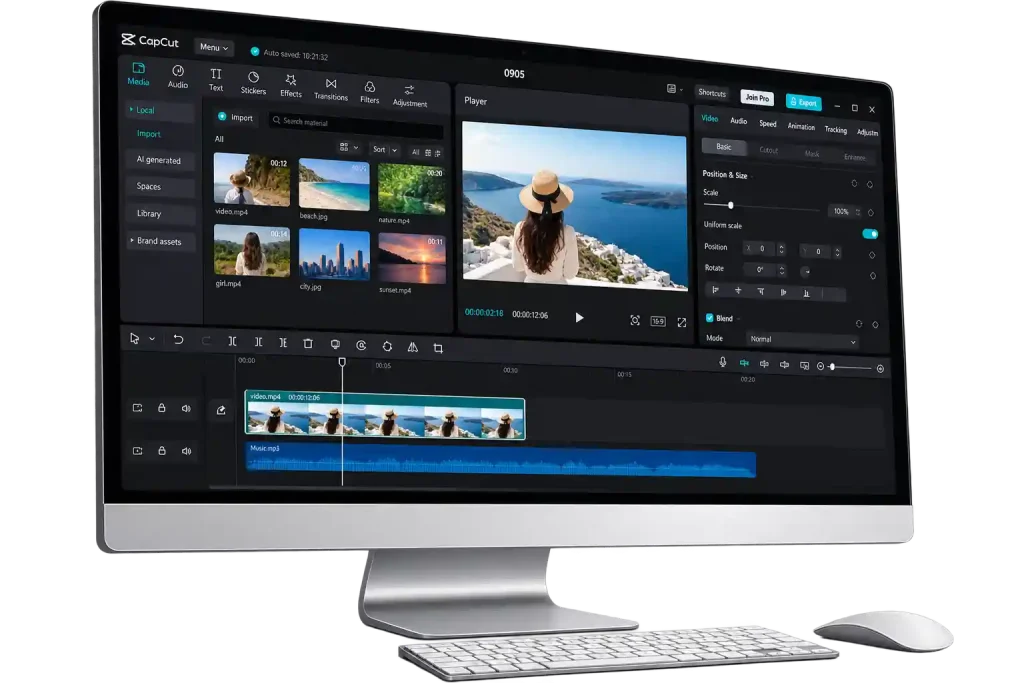
Capcut PC Version gives you three ways to use CapCut on a Windows computer. You can download the native desktop app from CapCut’s official website, install it through the Microsoft Store, or run the Android APK through an emulator such as BlueStacks or NoxPlayer. The first two options install the Windows version, while the emulator method runs the Android version inside Windows.
This guide covers everything you need to get started with CapCut on PC, including system requirements, installation steps, Free and Pro features, basic editing, updates, offline use, and common fixes if CapCut does not install or run properly.
CapCut PC at a Glance
| App name | CapCut for PC |
| Developer | ByteDance Pte. Ltd. |
| Category | Video Editing |
| Operating system | Windows 10 (64-bit) and Windows 11 |
| Price | Free · Pro features available |
| Latest version | Updated regularly |
What Is the CapCut PC Version?
The CapCut PC Version is a desktop video editor for Windows that gives you more screen space and precise controls for editing videos. Compared with editing on a phone, the desktop workspace makes it easier to manage timelines, multiple tracks, effects, audio, text, and longer projects with a mouse and keyboard.
CapCut is also available on mobile and the web. When you sign in with the same account, supported projects and cloud content can be accessed across devices, making it easier to start an edit on one device and continue working on another.
The PC version also includes tools such as auto captions, text to speech, video translation, background removal, effects, filters, and other AI-assisted editing features. Some tools are available for free, while others may require CapCut Pro or vary by version and region.
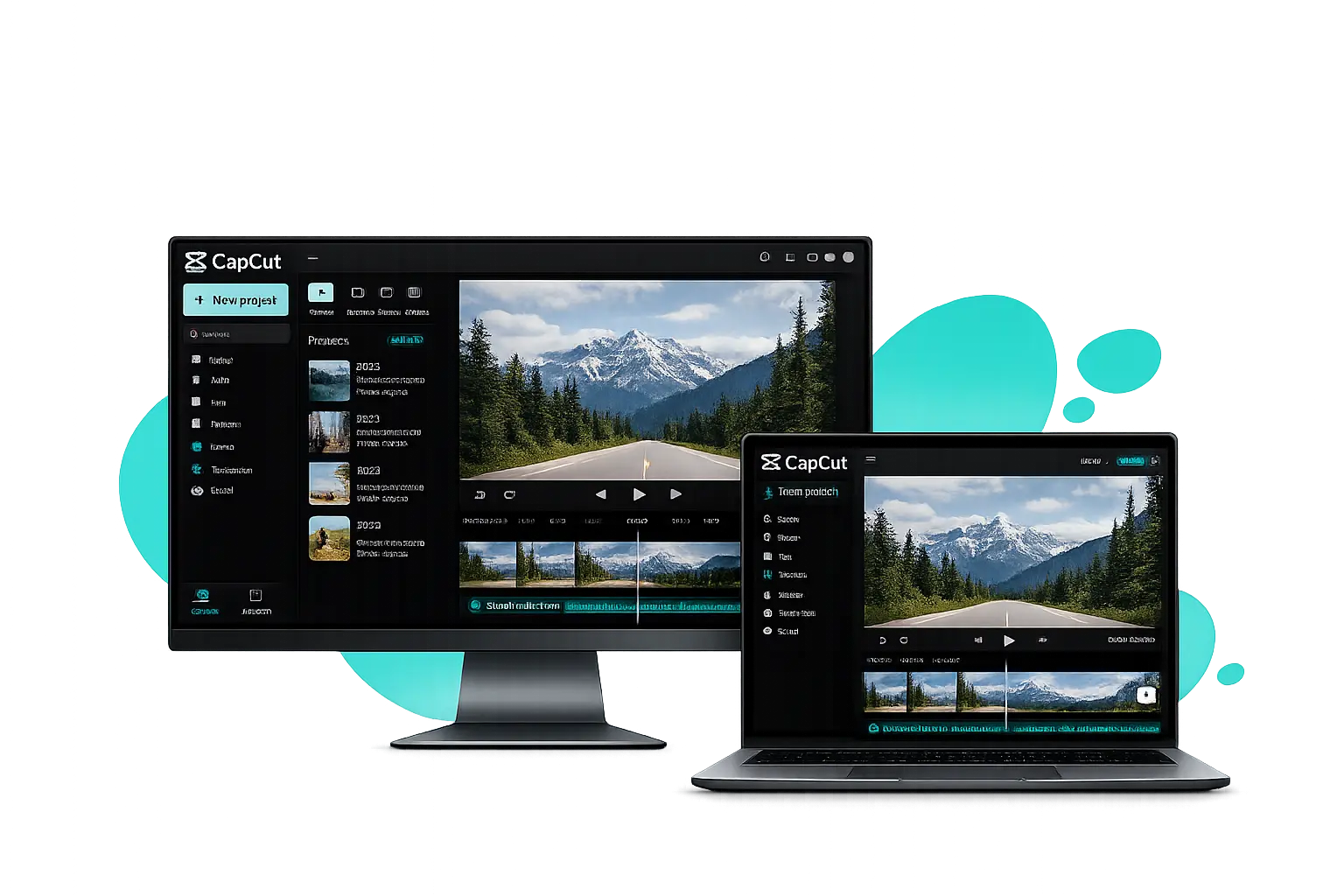
Why Choose the Capcut PC Version for Video Editing?
Editing short clips on a phone is convenient, but larger projects are easier to manage on a bigger screen. The Capcut PC Version gives you more room for the timeline, better control with a mouse and keyboard, and a more comfortable workspace for longer or more detailed edits.
Larger Timeline and Workspace
A larger screen gives you more room to see video, audio, text, and effects on the timeline. This makes longer projects and multi-track edits easier to organize than on a small phone screen.

Better Performance for Larger Projects
A capable PC can handle longer timelines, higher-resolution footage, multiple layers, and effects more comfortably. Actual performance depends on your processor, RAM, graphics hardware, storage, and project complexity.

Precise Mouse and Keyboard Control
Mouse control makes trimming, splitting, moving clips, and adjusting timeline elements more precise. Keyboard shortcuts can also speed up repetitive editing tasks and make the desktop workflow more efficient.

Easier Multitasking
On Windows, you can keep CapCut open alongside File Explorer, a browser, notes, or other tools. This makes it easier to organize footage, find assets, and move between different parts of your workflow.
CapCut Features on PC
CapCut for PC includes the main tools you need for everyday video editing, from trimming clips and adding music to using effects, keyframes, AI tools, and export settings. Some features are free, while others may require CapCut Pro or vary by app version and region.
Basic Video Editing
Cut, trim, split, crop, and join your clips directly on the timeline. You can also reverse a video when a scene or transition works better playing backward, while the larger PC workspace makes longer edits easier to manage.
Effects and Filters
You can add filters, effects, transitions, text styles, and templates to your videos. Some items are free, while others may need Pro access.
Music and Sound
Add music, sound effects, or your own voice to a video. You can change the volume, move the audio on the timeline, and match it with your clips.
Advanced Editing Tools
For more detailed edits, you can use overlays, speed controls, masking, and keyframes. If you want to animate movement, scale, rotation, or opacity, learn how to add keyframes in CapCut PC step by step.
AI Tools
CapCut also has tools for auto captions, background removal, text to speech, and other quick edits. Some AI tools can differ between versions or accounts.
Export Your Video
When the edit is finished, choose the available resolution and frame rate before exporting. Your project setup can also affect the final result, including whether you need to remove the CapCut watermark from your video.
CapCut AI Tools for PC
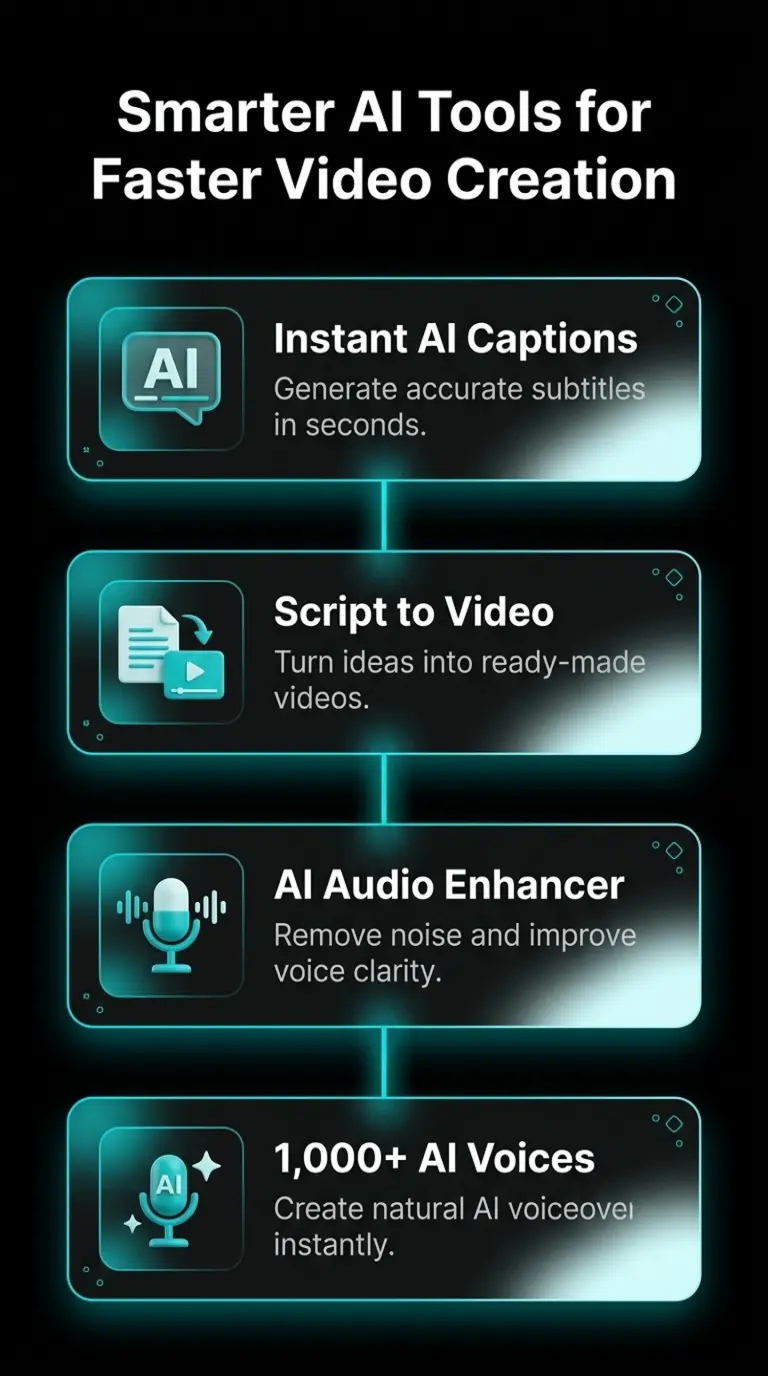
CapCut has several AI tools that can save time on jobs you would normally do by hand. You can create captions, turn text into video, clean up audio, and use AI voices without leaving the editor. Some tools may need an internet connection or Pro access.
Instant AI Captions
If you do not want to type subtitles by hand, Auto Captions can listen to the audio and create captions for you. Check the text before exporting because names, accents, and background noise can sometimes cause mistakes.
Script to Video
Have a script but no finished video yet? Script to Video can use your text to help build a first draft. You can then change the clips, text, music, and timing before you export it.
Clean Up Your Audio
Background noise can make a good video hard to listen to. CapCut has audio tools that can reduce unwanted noise and make spoken audio clearer. The result still depends on the quality of the original recording.
Text to Speech
Type your text, choose an available voice, and CapCut can turn it into narration. Voice choices can vary by language, region, account, and app version.
How to Make CapCut Run Smoother on a Mid-Range PC
Large projects, effects, and high-resolution video can make CapCut slow down on some PCs. If the timeline starts to lag or preview playback feels choppy, proxy editing and hardware acceleration are two settings worth checking.
Use Proxy Editing
Proxy editing uses smaller copies of your video files while you edit. This can make preview playback smoother when you are working with large files or high-resolution footage. Your original files are still used when the final video is exported.
Check Hardware Acceleration
Hardware acceleration can use your graphics hardware for some editing and rendering tasks. If CapCut feels slow, check the performance settings and make sure your graphics driver is up to date. Results will depend on the GPU and the project you are editing.
CapCut PC System Requirements
CapCut can run on a basic Windows PC, but larger projects and 4K video need better hardware. CapCut’s own pages list slightly different requirements, so the numbers below separate the basic setup from the hardware that gives you a smoother editing experience.
PC (Windows)
Minimum: Windows 10 (64-bit)
Recommended: Windows 10/11 (64-bit)
Minimum: Intel Core i3 or similar AMD processor
Recommended: Intel Core i5 or AMD Ryzen 5 or better
Minimum: 4 GB
Recommended: 8–16 GB
Minimum: Integrated GPU or 2 GB VRAM
Recommended: Dedicated GPU with 4 GB+ VRAM
Minimum: 10 GB free space
Recommended: SSD with extra space for projects
Recommended: 1920 × 1080 (Full HD) or higher
Needed for: Download, updates, cloud features, and some AI tools
Minimum requirements only tell you what CapCut needs to run. For smoother editing, especially with 4K video, effects, or multiple layers, more RAM, free storage, and a better GPU can make a noticeable difference.
CapCut MOD APK for PC and Windows
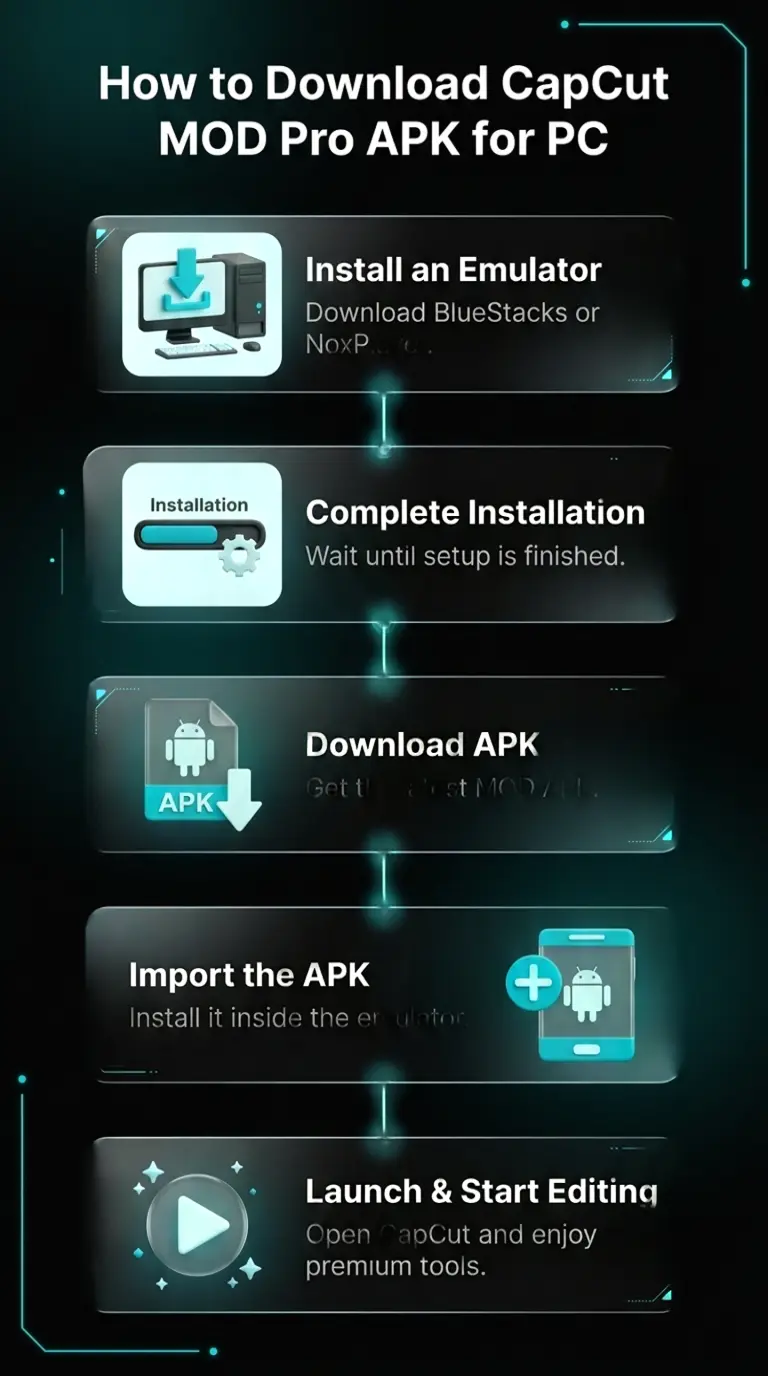
CapCut MOD for PC means running the Android CapCut MOD APK on a Windows PC or laptop. The MOD APK is built for Android, so Windows cannot install the APK file directly. It works on a PC only inside an Android emulator, a program that opens an Android screen on your computer.
This is different from the official CapCut Windows app. The official app is a normal Windows program that installs on its own. The MOD APK is the Android version, so it needs the emulator first.
This page shows the full method: what your PC needs, how to set up the emulator, how to install CapCut Pro MOD APK on PC step by step, and fixes for common problems like crashing, lag, and a black screen. How well it runs depends on your PC, your RAM and storage, and your emulator settings.
Method 1: Download CapCut from the Official Website
Go to CapCut’s official website and choose the Windows download. Once the installer has downloaded, open the setup file and follow the installation steps. After installation, launch CapCut and sign in if you want to use account or cloud features.
Method 2: Install CapCut from the Microsoft Store
This is the simplest way to install the native Windows version. Updates can also be handled through the Microsoft Store, so you do not need to download a new installer each time.
Method 3: Run the CapCut APK on PC with an Emulator
The CapCut APK is made for Android, so Windows cannot open it directly. To use the APK on a PC, first install an Android emulator such as BlueStacks, NoxPlayer, or LDPlayer. The Android version will then run inside the emulator instead of as a native Windows app.
Keep in mind that this runs the Android version of CapCut inside Windows. The interface, available features, and performance can be different from the native PC version, and the emulator will also use some of your computer’s RAM and storage.
CapCut Web: Edit on PC Without Installing the App
If you cannot install the desktop app, CapCut Web lets you edit from a browser instead. It is useful for quick edits, shared computers, or PCs where you do not have permission to install new software. Sign in to access supported cloud projects and media linked to your account.
The web editor is not exactly the same as the Windows app. Available tools can differ, and browser editing depends more on your internet connection. For larger projects or regular editing, the native desktop app is usually the more practical option.
Is CapCut for PC Safe?
The safest way to install the native CapCut PC app is through CapCut’s official website or the Microsoft Store. Before installing it, check that you are downloading the Windows version and verify the publisher shown by Windows or the Store. CapCut itself recommends using its official download source.
There is also an important difference between CapCut Pro and an APK file. CapCut Pro is the paid upgrade to CapCut; it is not a separate official Windows application. If you run an Android APK through BlueStacks, NoxPlayer, or another emulator, you are running the Android version inside Windows rather than installing the native PC version.
For APK files, check the source before installing, scan the file with your security software, and pay attention to unexpected permission requests. Keep Windows Security enabled and avoid files that have been repackaged by an unknown source.
How to Make Your First Edit on CapCut Desktop
Once CapCut is installed, you can start your first project in a few steps. The buttons may move slightly after updates, but the basic editing process stays mostly the same.
For your first edit, start with a short video. Once you know how the timeline, split tool, text, audio, and export options work, larger projects become much easier.
CapCut Desktop vs Web vs Android Emulator
Not sure which version to use on your PC? It depends on how you want to edit. The Windows app, web editor, and Android emulator can all run on a PC, but they are not the same experience.
Windows Desktop App
Best for regular PC editing. It gives you a full desktop workspace with mouse and keyboard controls and is the simpler choice for longer projects. It installs directly on Windows without needing an emulator.
CapCut Web
A good option when you do not want to install anything. Open CapCut in a browser and start editing online. It is useful on shared PCs, although features and performance can differ from the desktop app.
Android APK + Emulator
Choose this method when you specifically want to run the Android APK on Windows. The APK runs inside an emulator such as BlueStacks or NoxPlayer, so it uses extra RAM and storage compared with the native Windows app.
CapCut Desktop vs Mobile vs Web: Which Should You Use?
CapCut is available across desktop, mobile, and the web, but the editing experience is different on each platform. Desktop is better suited to longer projects and a larger timeline, while CapCut for iOS is convenient when you want to edit directly on an iPhone or iPad. The web version is useful for quick browser-based editing without installing the app.
| Best for | Desktop | Mobile | Web |
| Longer projects | Best choice | Okay for smaller edits | Better for lighter projects |
| Mouse & keyboard editing | Yes | No | Yes |
| Editing on the go | No | Best choice | Possible |
| No installation | No | No | Yes |
| Android/iPhone templates | Can differ | Best access | Can differ |
| Larger timeline workspace | Yes | Limited by screen | Yes |
Choose Desktop for longer projects and a larger editing workspace. Choose Mobile when you want to record and edit on the same device or use mobile-focused templates. Choose Web when you need a quick edit without installing the desktop app. Features can vary between platforms, versions, accounts, and regions.
Is CapCut for PC Free?
Yes. CapCut has a free desktop version for Windows, so you can start editing without buying a subscription. The free version includes the main tools for cutting clips, adding text and audio, applying effects, and exporting videos. Some advanced effects, AI tools, templates, and cloud features require CapCut Pro, and you can cancel your CapCut subscription later if you decide you no longer need the paid features. CapCut Pro is a paid upgrade, not a separate official Windows application.
CapCut Not Downloading or Installing on PC? Try These Fixes
If CapCut will not download or install on Windows, the problem is often related to storage, Windows compatibility, the Microsoft Store, your internet connection, or an incomplete installer. Try these fixes before downloading the app again.
If CapCut installs successfully but will not open, keeps crashing, or runs slowly, the installation may not be the problem. Check the fixes below for startup and performance issues.
CapCut Keeps Crashing or Showing a Black Screen on PC?
If CapCut keeps crashing, first restart the app and close other programs that are using a lot of RAM. Then update CapCut and your graphics driver. Low free storage, an outdated driver, or a heavy project can also cause crashes.
If the preview shows a black screen, restart CapCut and test a different video file. If other videos work normally, the problem may be related to that specific clip or video format. If the black screen appears in every project, update your graphics driver and restart Windows before testing CapCut again.
If CapCut crashes while exporting, try exporting at a lower resolution, free up some storage, and check whether the problem happens with one specific clip. If the same clip causes the crash every time, remove or re-import that file.
Pros & Cons for PC
CapCut for PC is easy to use and has plenty of tools for everyday video editing, but it also has a few limitations. Here are the main things to consider before choosing it for your projects.
PROS
CONS
Why Is CapCut Lagging on PC?
CapCut can start lagging when a project has large video files, several layers, effects, or high-resolution footage. Low RAM, limited free storage, and an outdated graphics driver can also make timeline playback slow. Older PCs may struggle more with newer releases, which is why some users compare the CapCut old version with the latest build. Keep in mind that older versions may not support newer features, cloud services, or account functions.
If CapCut is already lagging, start by closing apps you are not using and freeing up storage space. Update your graphics driver, restart CapCut, and test the project again. If the problem only happens in one large project, try temporarily disabling heavy effects or working with fewer layers to see what is causing the slowdown.
Why Are Some CapCut Features or Templates Missing on PC?
Not every CapCut feature or template is available on every platform. CapCut Desktop does not always have the same template options as the mobile app, so some mobile templates or template features may be unavailable or work differently on PC. Availability can also change with your app version, account, or region. In places where CapCut access itself is restricted, the VPN you use for CapCut can also affect whether the service connects properly.
If a specific template is missing on PC, check whether it is available in the mobile or web version. For other missing features, make sure you are signed in and using the latest version of CapCut. Keep in mind that some tools may also depend on your region, account, or CapCut Pro access.
Frequently Asked Questions-FAQs
Final Words
CapCut for PC is a practical choice if you want to edit videos on a larger screen with a full timeline, mouse and keyboard controls, and useful tools such as captions, effects, audio editing, and background removal. The free version covers many everyday editing needs, while some advanced tools and assets require CapCut Pro.
Before installing CapCut, check that your PC meets the system requirements and use the installation method that matches the version you need. Keeping CapCut, Windows, and your graphics driver updated can also help prevent common installation and performance problems.

Emma Grace
Video Editor & Content Creator
Projects
50+
Experience
10 Years
Emma Grace writes and tests CapCut guides for everyday users, covering editing tools, app updates, platform differences, and common troubleshooting. She focuses on breaking down video editing steps into clear, practical instructions for creators at different skill levels.
Guides About Capcut
-
Best CapCut Alternatives in 2026: Free and Paid Video Editors Compared
A CapCut alternative is any video editor that does the same short-form editing work as CapCut, such as cutting clips, adding captions, removing backgrounds, and exporting for TikTok, Reels, and Shorts, without tying you to one app. Creators look for these alternatives for four main reasons: the content license in the terms of service, the…
-
Why CapCut Is Banned in India and What You Can Use Instead
CapCut is banned in India because the government blocked it on 29 June 2020 under Section 69A of the IT Act. The app is owned by ByteDance, a Chinese company. Officials raised concerns about user data safety and national security after border tension with China. Why Was CapCut Banned in India? The main reason is…
-
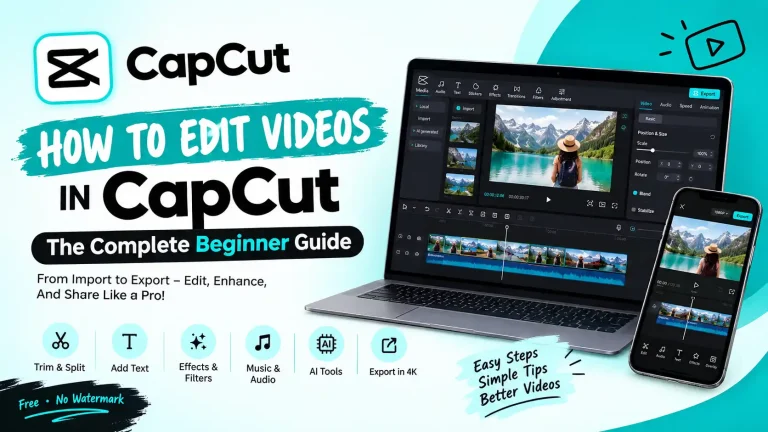
How to Edit Videos in CapCut: The Complete Beginner Guide
To edit a video in CapCut, open a new project, drag your clip onto the timeline, then use the tools above and beside the timeline to split, add text, apply effects, and fix the audio. When your video looks ready, tap Export and choose your resolution up to 4K. CapCut is free to use, works…