
How to Remove CapCut Watermark
Do you also love using CapCut and enjoy amazing editing tools through it, but hate the watermark at the end? If yes, then get ready to be amazed! After putting in all that effort, your video deserves the spotlight, not a watermark screaming “shortcut”. If you’re wondering how to remove CapCut watermark from your videos, then give a read to the content below!
What Is a CapCut Watermark?
A CapCut watermark is a logo, text, or a small tag that appears in a corner or at the end of our edited video. The makers of CapCut use this watermark to advertise their app for free because every time we share a CapCut-edited video, this watermark turns our content into their promotion. Very Smart move!
But the question is, can we become smarter and remove this watermark within seconds?. Definitely, the watermark appears may be due to a default setting, or because of a used template, or an export option which we might have missed. So let’s crack this watermark-removal code together step by step.
First, Figure Out Which Watermark You’re Dealing With
If you think there is only one type of watermark, then you are wrong. I used to think in the same way, but after using the app multiple times, I discovered that it varies depending on how your video was made. So here is the list of each type of watermark and the solution to remove it.
How to Remove the Ending Clip Watermark
This type of Watermark appears at the end of your video for a few seconds, and trust me, this is the easiest one to remove because it is just a separate clip sitting on your timeline.
To remove it, you just have to:
- Scroll to the very end of your timeline and delete it.
- If you wish to stop it from appearing in your future projects permanently, then go to the settings and locate the “ add default ending” option, and then turn it off with just one tap.
How to Remove a Template Watermark
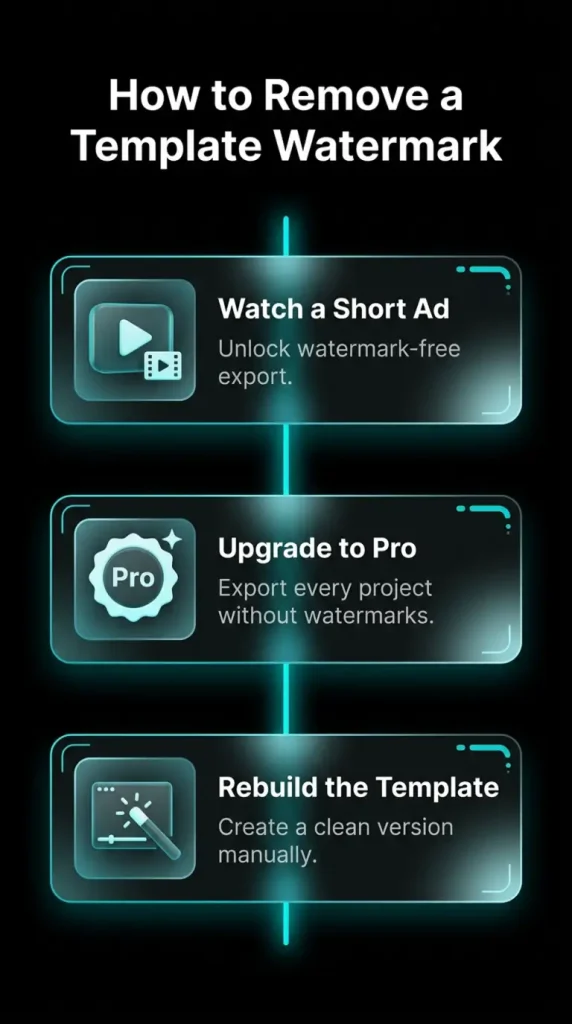
Some templates in Capcut contain their own built-in watermarks, from which you can never get rid of just by deleting a clip. In this case, you have 3 options.
Watch a short ad: If you don’t mind waiting, this option works for you because most templates allow you to get a watermark-free export if you watch an ad.
Upgrade to CapCut Pro: If you are managing multiple projects and wish to skip this daily watermark removal hassle, then choosing the CapCut Pro APK can provide access to premium editing features without relying on the standard Play Store installation.
Rebuild it yourself: With this option, you can recreate the transitions, text, and timing without the use of a template and get a clean, watermark-free edit.
How to Remove an On-Screen or Already-Exported Watermark
I find this one trickier than the rest because once you have exported the video, the watermark has already become part of your video itself, and you can not separate it or delete the clip. But nothing is impossible with the help of the following tools; you can get rid of this type of watermark, too.
AI Remove tool: This works like a “magic eraser.” You just have to brush over the watermark, and CapCut’s AI will fill in that spot by copying the pixels around it, so it blends right in.
Crop tool: If the Capcut watermark pops up in a corner or edge of the video, then you can simply crop that part out.
Background remover: You can use a background remover tool if the watermark is stuck in the background of your video; this will separate your subject from the background, so the watermark disappears with it.
Cover it up: If you are not in the mood for editing. No worries, just place a sticker or graphic over the watermark. It won’t remove the watermark, but it can hide it well.
Once the watermark is removed, you can also experiment with other editing effects to make the final video more engaging. For example, the reverse video effect can turn a simple clip into a more creative sequence by playing the footage from the end to the beginning.
See Also: Add Music to CapCut
Final Verdict
The content above covers all the ways that you can use to remove Capcut Watermark. It becomes quite simple to remove watermarks in CapCut when you recognize what kind of watermark you’re working with. Hence, exporting your video without a watermark becomes effortless.
Frequently Asked Questions-FAQs
Is it free to remove a CapCut watermark?
Yes, in the majority of situations, it is free to delete some template watermarks and the last clip.
Does removing it affect video quality?
No, your video stays the same whether a clip is deleted or a setting is turned off. However, applying AI removal or cropping could slightly alter the framing.
Can I use watermark-free CapCut videos commercially?
Yes, only if the content is unique to you and isn’t protected by copyright.