How to Cancel CapCut Subscription on iPhone, Android, and Desktop
Cancelling your CapCut subscription stops future billing, but the exact steps depend entirely on where you originally signed up. CapCut Pro and CapCut Standard can be purchased through the App Store, Google Play, or directly on capcut.com, and each billing source has its own cancellation path. If you use CapCut for iOS, your subscription is managed through Apple’s billing system rather than the app itself. Deleting the app from your phone never cancels the subscription, since billing runs through Apple, Google, or CapCut’s own servers in the background. So to learn about how to cancel CapCut subscription, continue reading till the end of the article. Let’s begin!
Why CapCut Subscriptions Are Hard to Cancel?
CapCut sells the same Pro and Standard plans through three separate checkout systems, and each one stores your billing relationship differently. You cancel wherever you originally paid, not wherever you currently use the app. Most failed cancellation attempts happen because someone searches CapCut’s in-app settings while their actual subscription sits inside the App Store or Google Play billing menu instead.
Pricing also adds confusion, typically it runs around $19.99 per month or $179.99 per year through the web checkout, with Standard priced lower for watermark removal alone. Your exact rate can vary by region, promotion, and billing cycle, so always confirm the live price inside your account before assuming a fixed number.
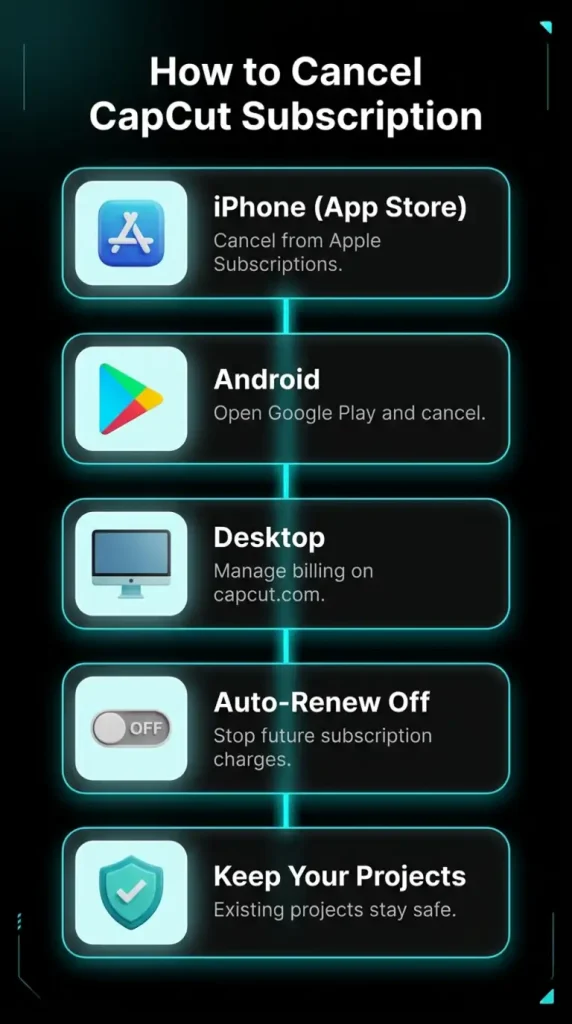
How to Cancel CapCut Subscription on iPhone (App Store)
If you subscribed to CapCut Pro or Standard through the App Store, Apple controls your billing and CapCut’s own app cannot cancel it for you.
- Open Settings on your iPhone or iPad.
- Tap your name at the top of the screen to open your Apple ID.
- Select Subscriptions from the list of options.
- Find CapCut in your active subscriptions and tap it.
- Tap Cancel Subscription and confirm your choice.
These steps follow Apple’s subscription management system, where App Store subscriptions are managed through your Apple account.
How to Cancel CapCut Subscription on Android (Google Play)
Android subscriptions route through Google Play, and uninstalling the CapCut app has zero effect on your billing cycle.
- Open the Google Play Store app on your device.
- Tap your profile icon in the top right corner.
- Select Payments & Subscriptions, then tap Subscriptions.
- Locate CapCut in your subscription list and tap on it.
- Tap Cancel Subscription and follow the confirmation prompt.
How to Cancel CapCut Subscription on Web or Desktop
If you purchased your subscription while using CapCut on desktop, the cancellation process depends on whether you paid through CapCut’s website or another billing platform.
- Go to capcut.com and log into your account.
- Click your profile icon in the top right corner.
- Open My Space or Account Settings, depending on your interface version.
- Navigate to the Billing or Subscription Management section.
- Click Cancel Subscription or toggle off auto-renewal, then confirm.
What Happens After You Cancel?
Once you cancel the premium subscription, your projects, edited videos, and cloud storage files stay accessible, cancelling only removes future premium feature access. Any video you already exported with Pro tools remains usable exactly as it was. You can resubscribe at any time through capcut.com or your original app store without losing your account history or saved projects
You may Also Like: which-vpn-is-best-for-capcut
Frequently Asked Questions
Does deleting the CapCut app cancel my subscription?
No, deleting the app only removes it from your device while billing continues through Apple, Google, or CapCut until you cancel through the correct billing menu.
Will I lose my saved projects after cancelling CapCut Pro?
No, your projects remain saved and accessible, though any locked premium tools used inside them will no longer be editable until you resubscribe.
How do I cancel a CapCut free trial before it charges me?
You cancel a free trial the same way as a paid plan, through the App Store or Google Play, at least 24 hours before the trial period ends.
Why am I still being charged after cancelling CapCut?
You likely cancelled in the wrong place, since CapCut cannot stop charges that are actually being processed through Apple or Google billing systems.
Can I switch from CapCut Pro to the free plan immediately?
No, your Pro access continues until the current billing period ends, and the downgrade to the free plan only applies once that period expires.
Final Thoughts
Cancelling your CapCut subscription comes down to one rule worth remembering, since you always cancel through the platform where you originally paid. Match your billing source to the right menu, whether that’s the App Store, Google Play, or capcut.com, and the process takes only a few minutes. Confirm your cancellation email, double check your billing history a day later, and you’ll avoid the surprise renewal charges that catch so many users off guard.