CapCut MOD APK for iOS | Download for iPhone and iPad
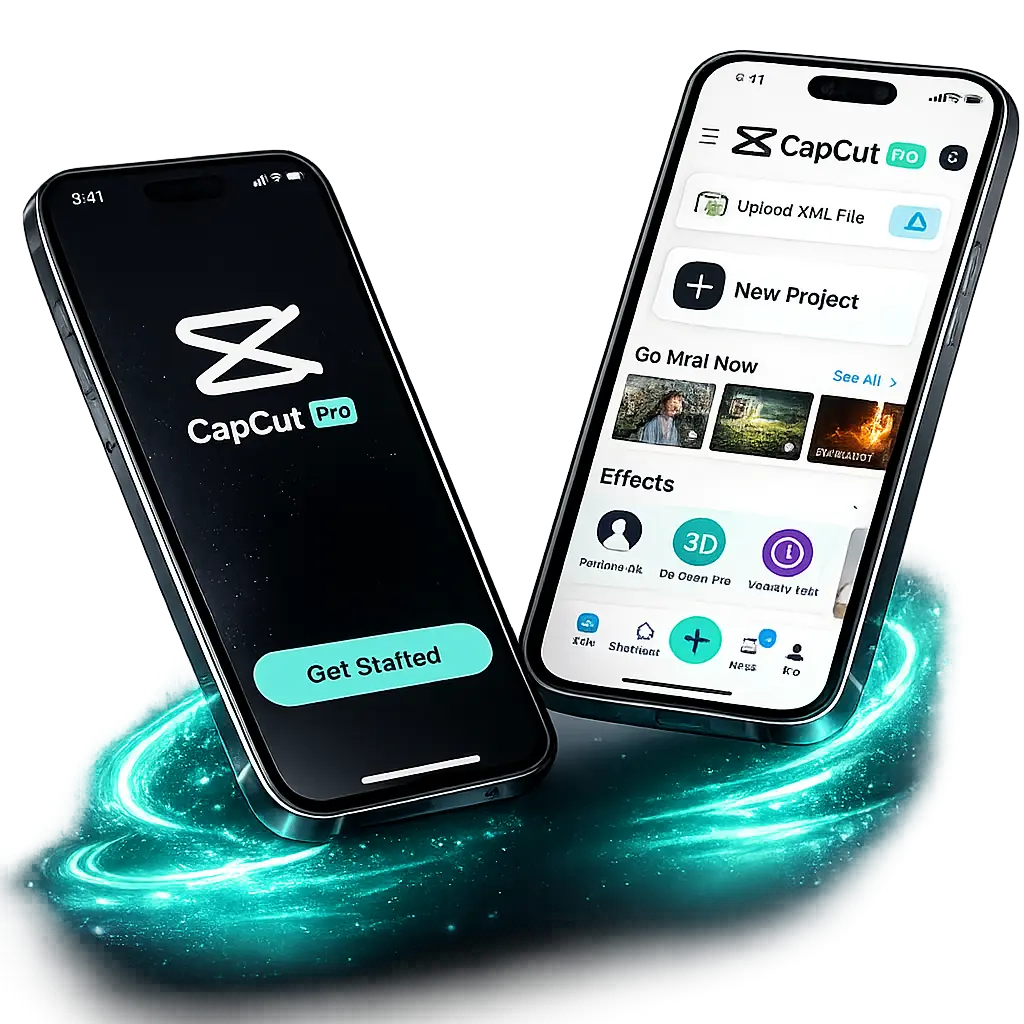
If you are looking for CapCut MOD APK for iOS, here is the honest answer first: there is no MOD APK for iPhone or iPad. An APK file is built for Android, and Apple devices cannot open or install APK files at all.
Some websites offer a CapCut IPA MOD for iOS. An IPA is the iOS app file, but Apple allows only apps that Apple has signed. A MOD IPA is not signed by Apple, so it can stop working when Apple blocks it, it gets no updates, and it can put your Apple ID and your data at risk.
The real way on iOS is the official CapCut app from the App Store. It is free, and most editing tools cost nothing. The premium features on iOS come from the official CapCut Pro plan. This guide shows how to download CapCut for iPhone and iPad, what is free, what Pro adds, and how to fix common problems. The MOD build itself is for Android only: our CapCut Pro MOD APK page covers the Android build, and our PC guide shows how to run it on a computer through an emulator.
CapCut for iOS at a Glance
| Developer | ByteDance Pte. Ltd. |
| Latest Version | 19.8.1 (October 2026) |
| Platform | iPhone and iPad |
| Category | Photo & Video |
| Price | Free, with an optional Pro plan |
| Rating | 4.6 stars on the App Store |
| Languages | English and 20 more |
| Where to get it | Apple App Store |
What is CapCut for iOS?
CapCut for iOS is a free video editing app for iPhone and iPad, first released in 2020. It comes from ByteDance Pte. Ltd., the same company that created TikTok. This link with TikTok is one reason the app feels made for short social videos.
The app blends pro-level tools with an easy layout. You get a multi-track timeline, AI helpers, filters, music, and text, all inside a design that a beginner can pick up in minutes. Both casual users and serious creators use it every day.
CapCut lives happily inside the Apple world too. It connects with your Photos library, works with iCloud for file access, and lets you share finished videos through AirDrop. This tight fit with iOS makes your whole editing flow feel natural.
Key Features of CapCut for iOS
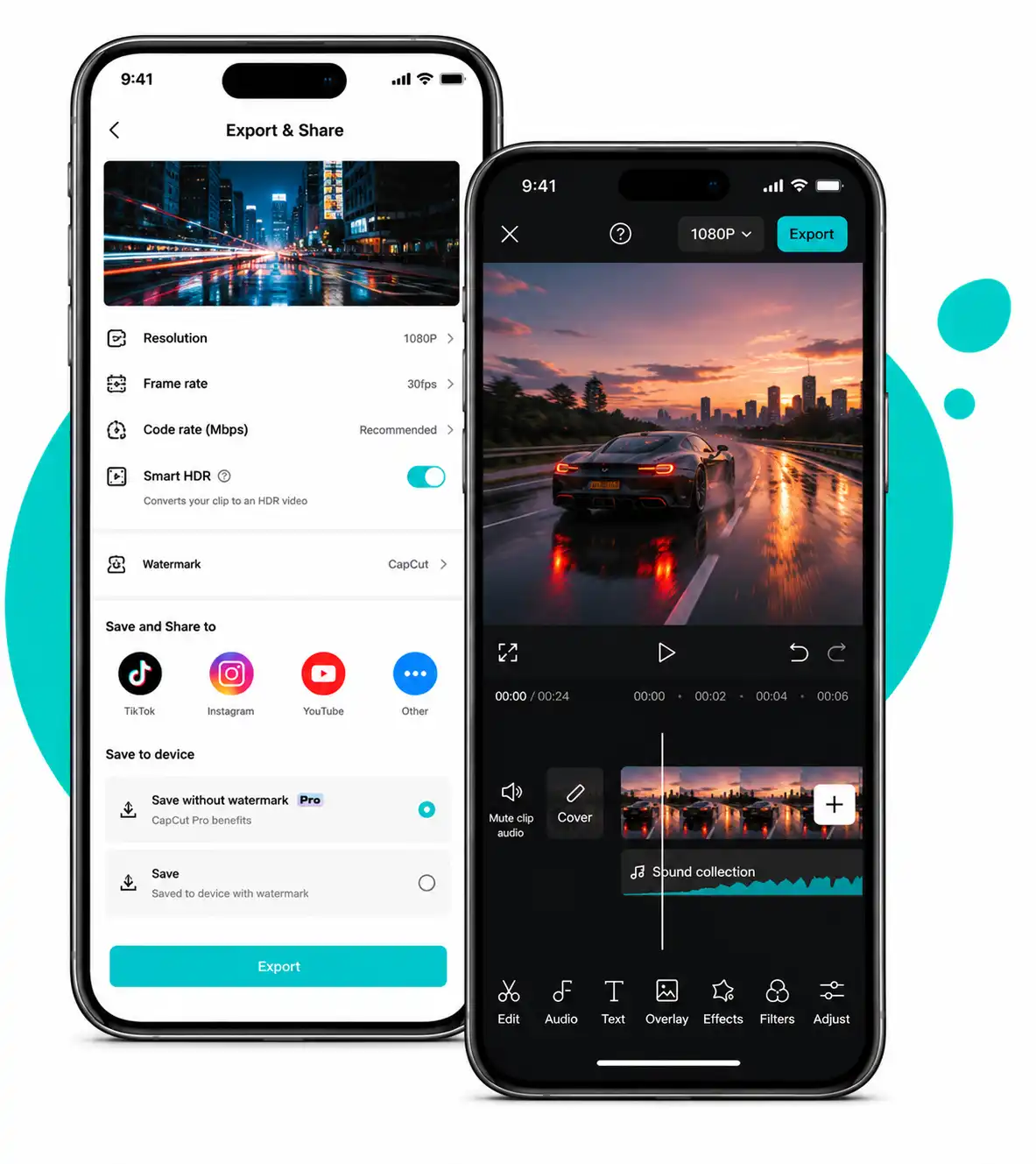
CapCut for iOS offers a wide range of creative tools to produce first-class videos on your iPhone and iPad. The layout is friendly and nothing feels hidden, so you do not need expensive editing apps or expert knowledge to start.
Multi-track editing
Stack video, audio, text, and effects on separate layers for full control.
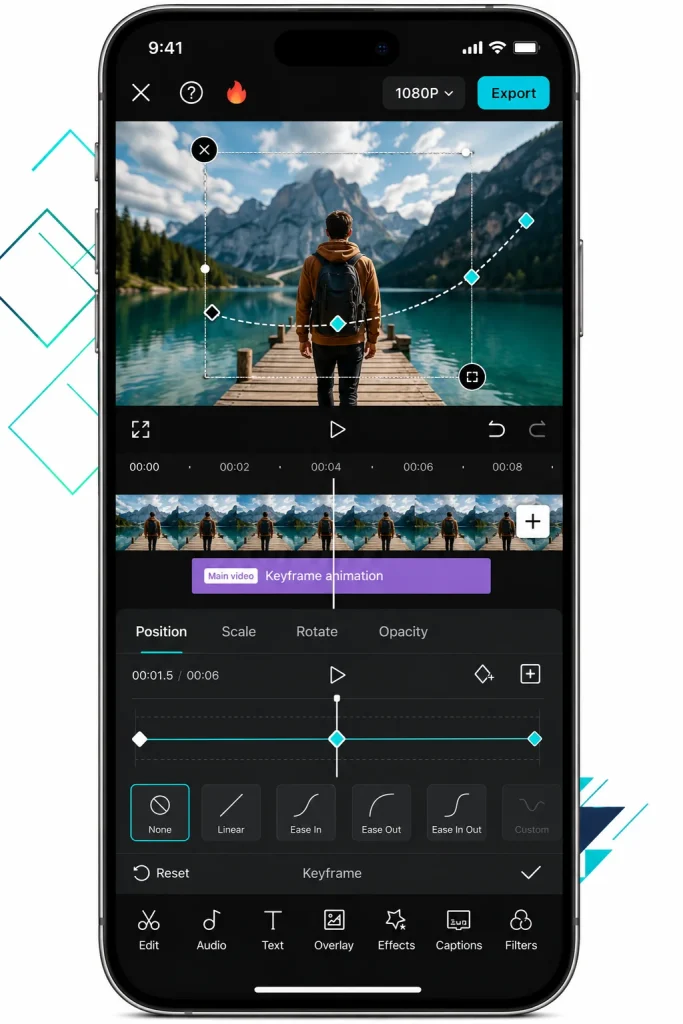
Keyframes
Set points where a clip moves, zooms, or fades for smooth custom animation.
Speed editor
Create smooth slow motion or fast motion with the Normal and Curve options.
Basic tools
Split, trim, crop, rotate, flip, and merge clips to shape your story.
Stabilizer
Smooth out shaky footage for a steady, professional look.
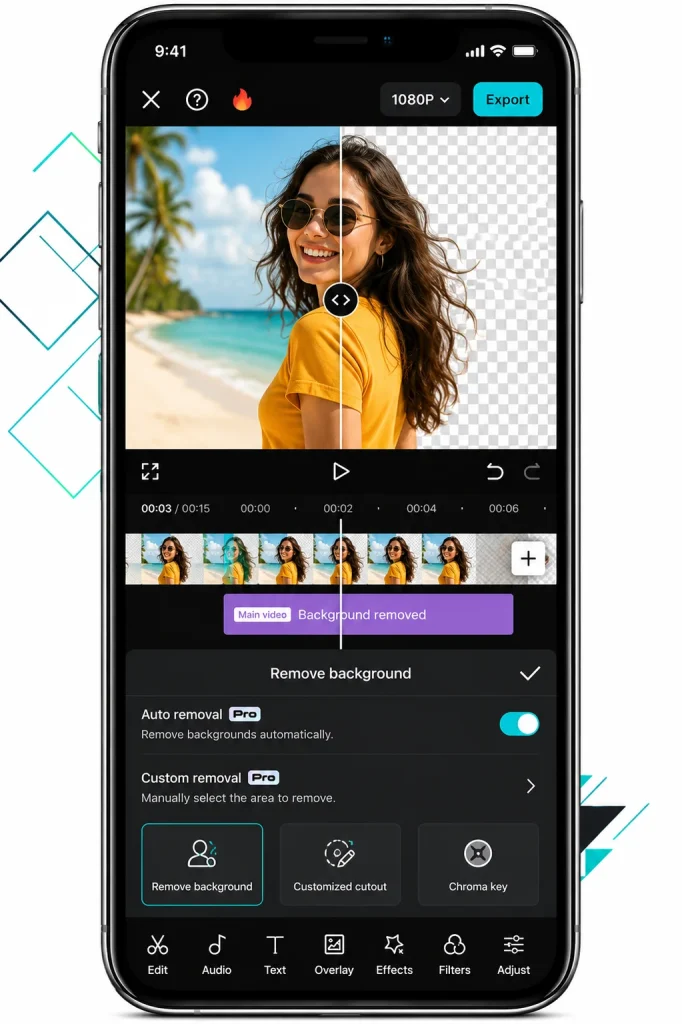
AI background remover
Cut a person or object out of the background with one tap.
Chroma key
Remove a green screen background so you can drop in a new scene.
Filters and effects
Set the mood with color grading, trendy effects, and animations.
Transitions
Join two clips with smooth links like Mix and Light for a cohesive flow.
Voiceover and text to speech
Record your own voice or let the app read your script aloud.
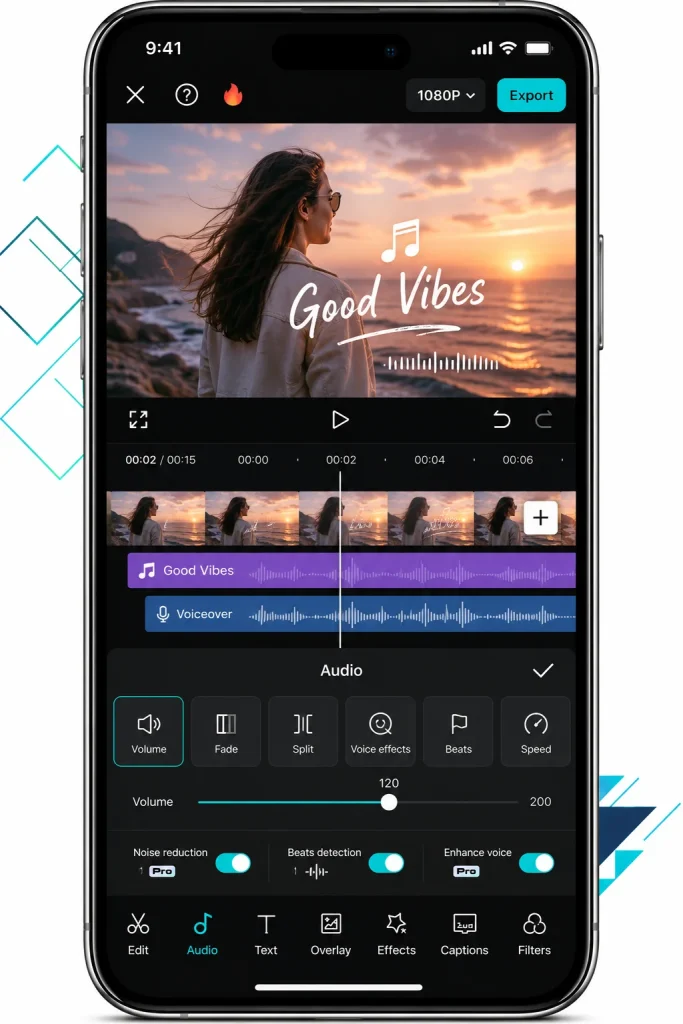
Audio tools
Add music, extract audio from a clip, and clean sound with noise reduction.
Music library
Drop in trending tracks and sound effects, or import your own audio.
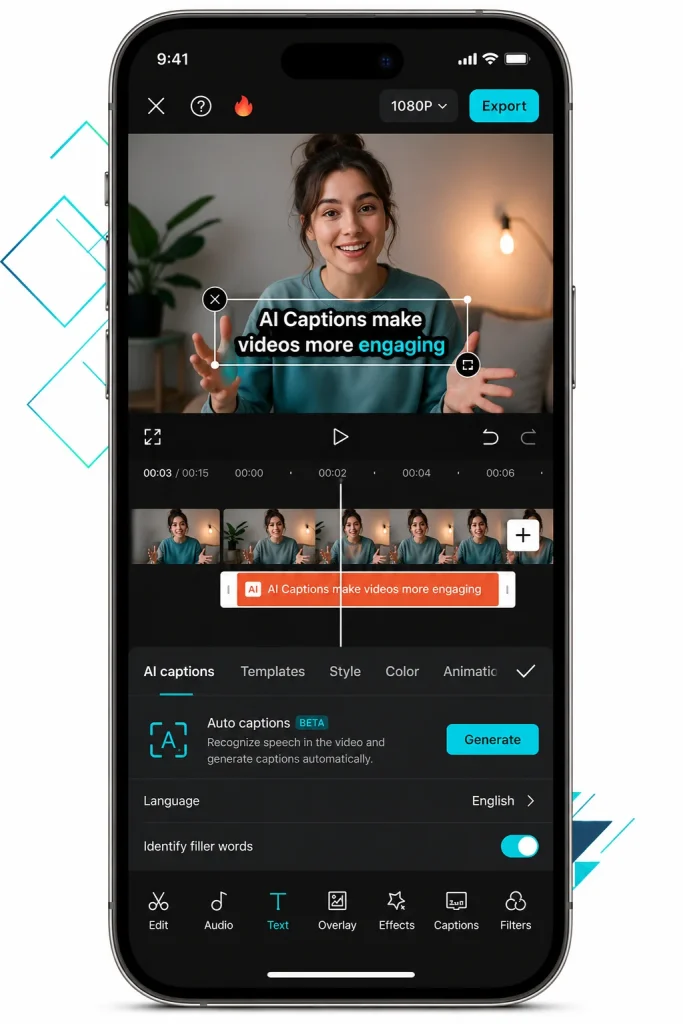
Auto captions
Turn spoken words into subtitles that you can edit and style.
Text and titles
Add captions and titles with many fonts, styles, and movements.
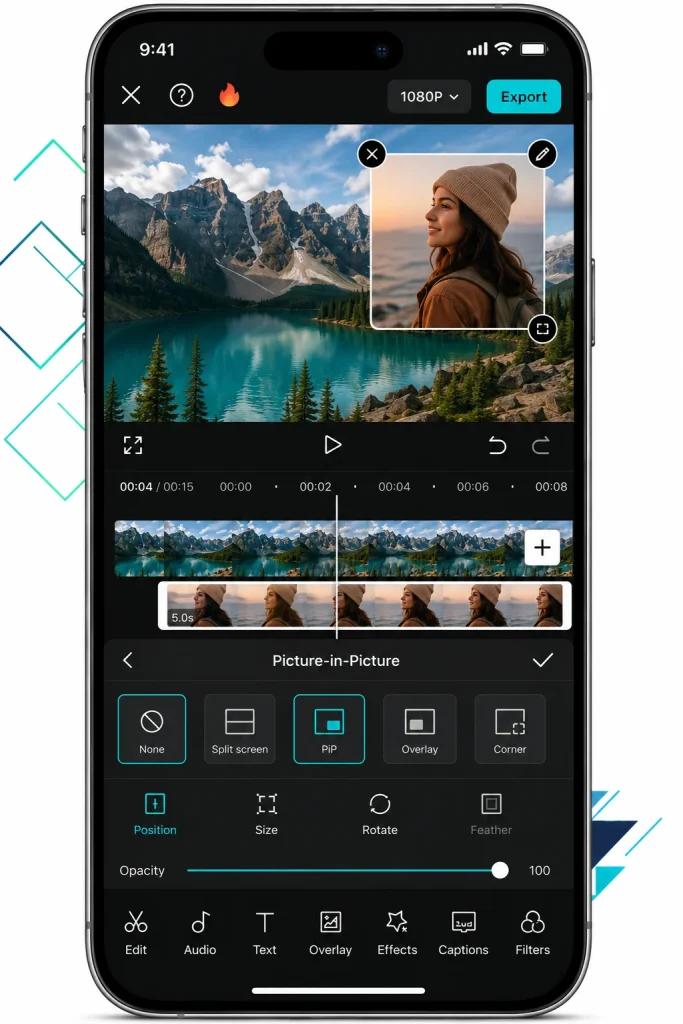
Layers open the door to creative tricks. When you place one clip over another, you can build a picture in picture look or a stylish overlay. Our steps on how to place one video on top of another show the full method.
CapCut Free vs CapCut Pro for iOS
Most of CapCut is free, but the app also offers a Pro plan for people who want a little more. Knowing the difference helps you decide if paying is worth it for you.
The free version already covers the tools most creators need. You get multi-track editing, filters, transitions, the music library, and exports up to 4K, all without paying a cent.
CapCut Pro unlocks a set of extras on top of that: exclusive filters and effects, the advanced AI tools (including the auto caption generator and background remover), cloud storage for your projects, and premium assets that free users cannot export. In the US App Store, Pro costs $19.99 a month; the lighter Standard plan costs $9.99 a month. The app often offers a free trial, so you can test Pro before you pay.
For a beginner, there is no need to rush. Start with the free tools, learn what you enjoy, and only move to Pro once you find a paid feature you truly want. Below is a full comparison so you can choose between Free and Pro based on your editing needs.
| Feature | CapCut Free | CapCut Pro for iOS |
|---|---|---|
| Cost | Free | $19.99/month (US) |
| Multi track editing | Yes | Yes |
| Auto captions | No | Yes |
| Filters and transitions | Yes | Yes |
| Music and sound effects library | Yes | Yes |
| Export up to 4K and 60fps | Yes | Yes |
| Background remover | Basic | Advanced |
| Exclusive filters and effects | No | Yes |
| Advanced AI tools | Limited | Full access |
| Premium templates and assets | Preview only | Yes |
| Cloud storage for projects | No | Yes |
| Official Updates | Yes | Yes |
| Ads | None | None |
| Best For | Basic Editing | Advanced Editing |
Using CapCut Templates on iOS
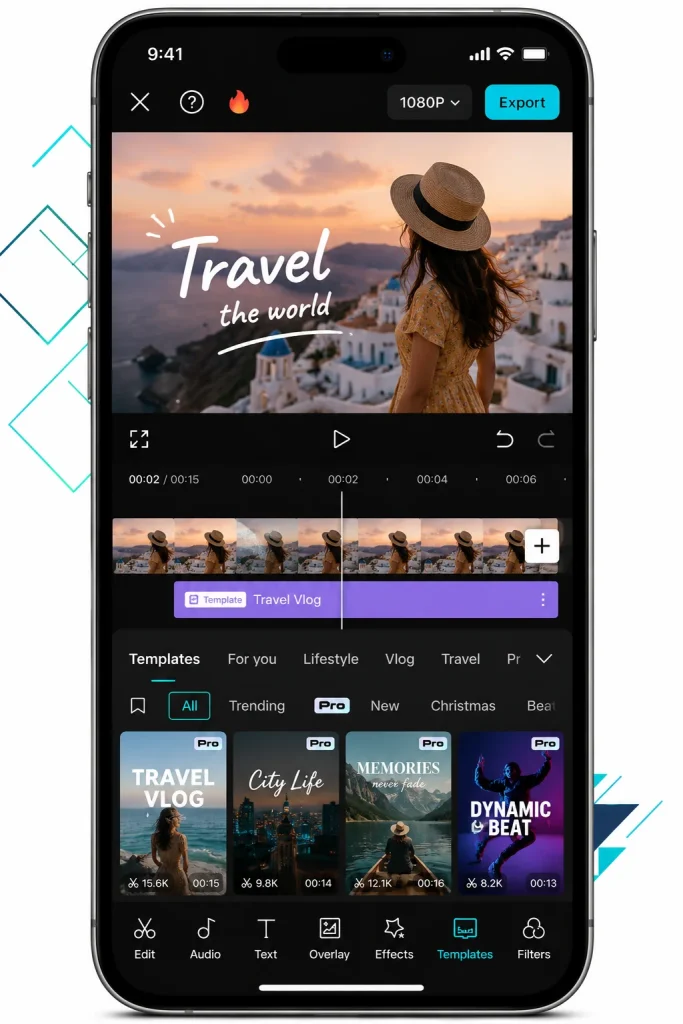
If you want a finished look without much effort, templates are your best friend. A template is a ready-made design where you just swap in your own clips and photos.
CapCut for iOS offers thousands of templates for TikTok, Reels, and Shorts. You pick a style you like, add your media, and the app handles the cuts, music, and effects for you. This is a fast way to jump on a trend in minutes. Some templates carry a Pro mark. Those need the Pro plan to export.
Templates are great for beginners, yet they save time for pros too. Once you learn the manual tools, you can even mix both and tweak a template to fit your own style.
An APK file belongs to Android. An iPhone cannot open it, and Apple does not allow MOD apps on iOS. So there is no working MOD for iPhone or iPad, from us or from any site. The good path is the official app, and the next part shows you how to get it in a minute.
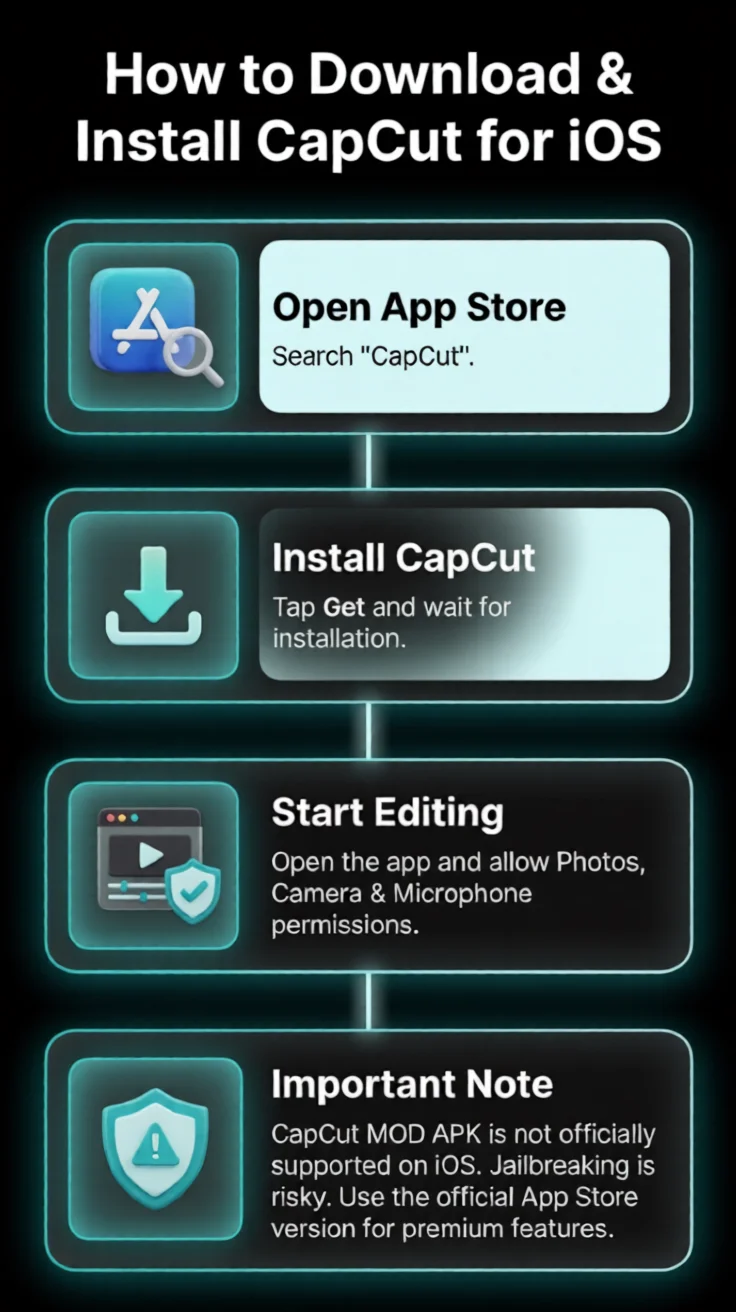
How to Download and Install CapCut for iOS?
Getting the app is quick when you use the App Store. Follow these simple steps to download CapCut on your iPhone or iPad.
Step 1: Open the App Store & Search for CapCut
Open the App Store on your iPhone or iPad and type CapCut in the search bar. Pick the official CapCut app by ByteDance Pte. Ltd.
Step 2: Download the App
Tap Get, then confirm with Face ID, Touch ID, or your Apple ID password. The app downloads and installs on its own in a few seconds, depending on your Wi-Fi speed.
Step 3: Start Using CapCut
When the install finishes, tap Open, or find the CapCut icon on your home screen. The app asks for access to your photos, camera, and microphone, and you can start editing.
That is all it takes. The CapCut icon now sits on your home screen, ready whenever you want to edit.
System Requirements for CapCut on iOS
Check these points before you install, so CapCut runs smooth on your iPhone or iPad.
iOS
iOS 15.0 or later on iPhone, and iPadOS 15.0 or later on iPad. This is what the App Store asks for today. A device on an older system cannot install the latest CapCut.
Most iPhones and iPads are supported, and newer models handle heavy edits better.
A 64-bit processor, which every modern iPhone and iPad already has.
The app itself is about 829 MB. Keep more free space on top of that, because video projects and exports take much more room than the app.
2 GB of RAM works, while 4 GB or more gives faster rendering.
If your iPhone or iPad is a recent model, you have nothing to worry about.
How to Edit a Video in CapCut on iOS
Now comes the fun part. Here is the full editing flow, so you can make a real video from start to finish.
Start a project and add media
Open CapCut and tap New project. Select the video clips and photos from your Photos library, then tap Add to bring them onto the timeline. Your media now sits in order, ready to shape.
Edit and enhance your clips
Tap a clip and use Split to cut sections, or drag the ends to trim the length. Tap the white box between two clips to add a transition like Mix or Light. Use the Speed tool for slow motion, and open Adjust to change brightness, contrast, and saturation.
This is also where you add the fun stuff. Tap Audio for music, use Text or Stickers for titles and captions, and try the AI tools for auto captions or background removal. Take your time and let the video come together. The Speed tool can also play a clip in reverse, a fun trick for short videos.
Export and save
Tap the resolution display at the top and choose your settings, such as 1080p HD or 4K resolution and a 60fps frame rate. You can also set the bitrate for even sharper quality. Then tap the Export icon in the top corner, and CapCut saves the finished video straight to your photo library.
Before you export, it helps to set the right aspect ratio for your platform. Use 9:16 for TikTok, Reels, and Shorts, or 16:9 for wide YouTube videos. Picking the correct shape keeps your video from getting cropped in odd ways.
For a clean result with no mark on your video,
our guide on how to export a video without a watermark walks through the exact settings.
For the full picture, our CapCut editing guide covers every tool in depth.
CapCut for iPhone vs CapCut for iPad
Both devices run the same app, but the feel is a little different. Knowing this helps you pick the right one for the job.
On the iPhone, CapCut is perfect for fast edits on the move. You can film, cut, caption, and post a video without ever sitting at a desk. This is why so many creators keep it as their pocket studio.
On the iPad, the larger screen gives you more room to work. Multi-track editing, color grading, and speed curves all feel more comfortable with the extra space. For longer projects, the iPad version is a joy to use.
In short, pick the iPhone for speed: film, edit, and post from anywhere. Pick the iPad for comfort: a big timeline and more room for longer videos. The app and the tools are the same on both, so what you learn on one works on the other.
CapCut vs iMovie: Which iOS Editor Wins
Many iPhone users wonder whether to use CapCut or the built in iMovie app. Both are free, so the choice comes down to what you need.
iMovie is clean and simple, and it works well for basic trims and quick home movies. It fits neatly into the Apple world and needs no extra download.
CapCut goes further for social content. It offers auto captions, a background remover, trending effects, a huge music library, and AI tools that iMovie does not have. For TikTok, Reels, and Shorts, CapCut gives you more creative power in one place.
CapCut for iOS Troubles and Solutions
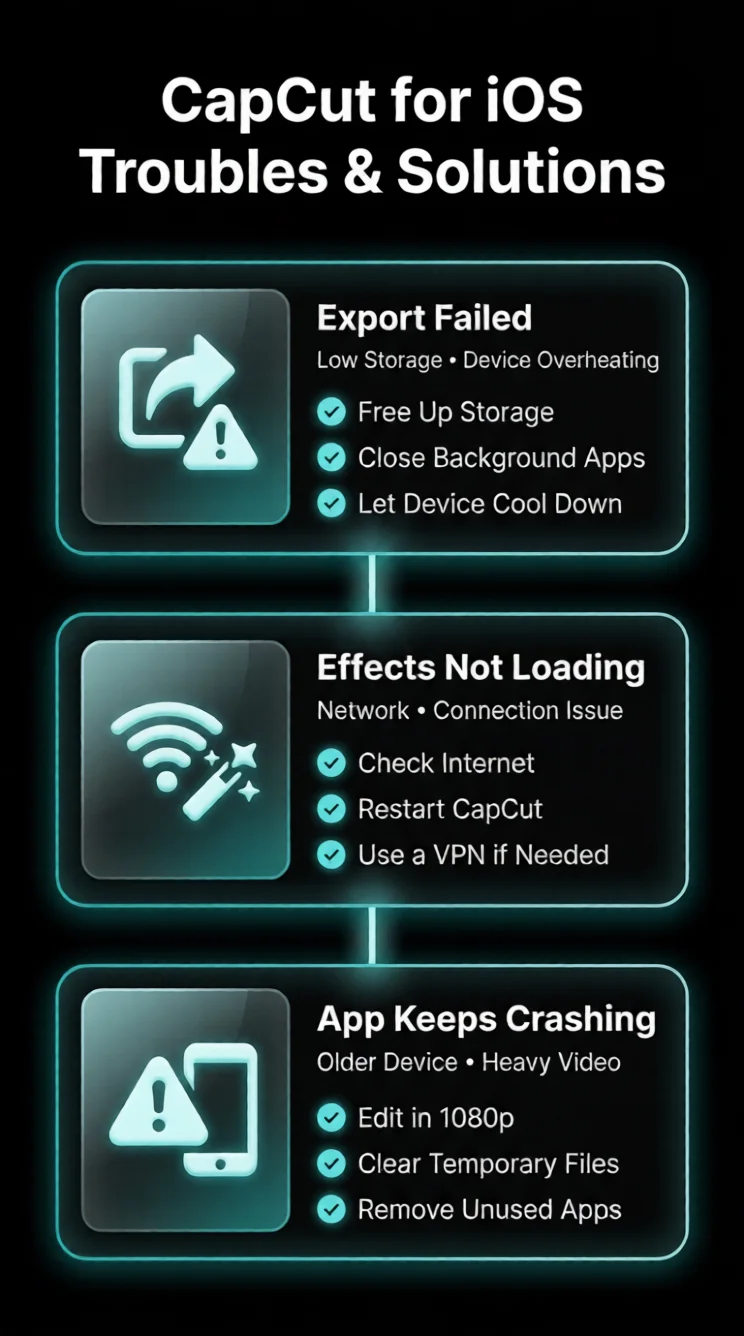
Although downloading and using this editor is pretty simple, sometimes you may experience a few troubles that need an immediate fix. So, to provide you a seamless editing experience we have described a few common errors along with the fixation guide. Let’s have a look at it!
Unable to export your video
If your video hangs during export or pauses unexpectedly, your available storage may be insufficient or your device may be overheating.
Solution: To fix video reporting issues, go to your device setting section > General > Device storage and confirm how much free space remains. Free up space, and delete the apps you are not using regularly.
Effects or Templates Are Unavailable
If you are unable to access effects, presets, graphics or other online features, capcut ios may be facing connectivity issues.
Solution: First, ensure that your network is available. If the trouble remains, download a reliable VPN, switch to a new server and restart CapCut. The unavailable filters and layouts become available.
CapCut Stops Working While You Edit
If you have an older iOS device, CapCut may crash while you’re processing high-resolution videos.
Solution: Select 1080p rather than 4K during video editing. It is recommended to clean the temporary files through settings and remove unused apps before you begin working. It can improve how the app works properly.
Pros & Cons of CapCut for iOS
PROS
CONS
Frequently Asked Questions-FAQs
Final Words
No matter if you are looking to make quick videos, personal vlogs, learning content or social media updates, CapCut for iOS allows you to create anything from your iPhone or iPad. You can convert your imaginations into refined videos using easy editing features without a lengthy process. Its streamlined interface allows you to concentrate on making videos instead of working with difficult controls.
All the tools including AI-generated text, background erasing, pre-designed templates, Picture-in-Picture mode and artistic effects are helping to make your videos professional-grade masterpieces. So, without more delay hit the download button to experience all incredible slots of cap cut photo and video editor on your iOS devices
ScreenShots

Emma Grace
Video Editor & Content Creator
Projects
50+
Experience
10 Years
Emma Grace writes and tests CapCut guides for everyday users, covering editing tools, app updates, platform differences, and common troubleshooting. She focuses on breaking down video editing steps into clear, practical instructions for creators at different skill levels.
Guides About Capcut
-
Best CapCut Alternatives in 2026: Free and Paid Video Editors Compared
A CapCut alternative is any video editor that does the same short-form editing work as CapCut, such as cutting clips, adding captions, removing backgrounds, and exporting for TikTok, Reels, and Shorts, without tying you to one app. Creators look for these alternatives for four main reasons: the content license in the terms of service, the…
-
Why CapCut Is Banned in India and What You Can Use Instead
CapCut is banned in India because the government blocked it on 29 June 2020 under Section 69A of the IT Act. The app is owned by ByteDance, a Chinese company. Officials raised concerns about user data safety and national security after border tension with China. Why Was CapCut Banned in India? The main reason is…
-
How to Edit Videos in CapCut: The Complete Beginner Guide
To edit a video in CapCut, open a new project, drag your clip onto the timeline, then use the tools above and beside the timeline to split, add text, apply effects, and fix the audio. When your video looks ready, tap Export and choose your resolution up to 4K. CapCut is free to use, works…